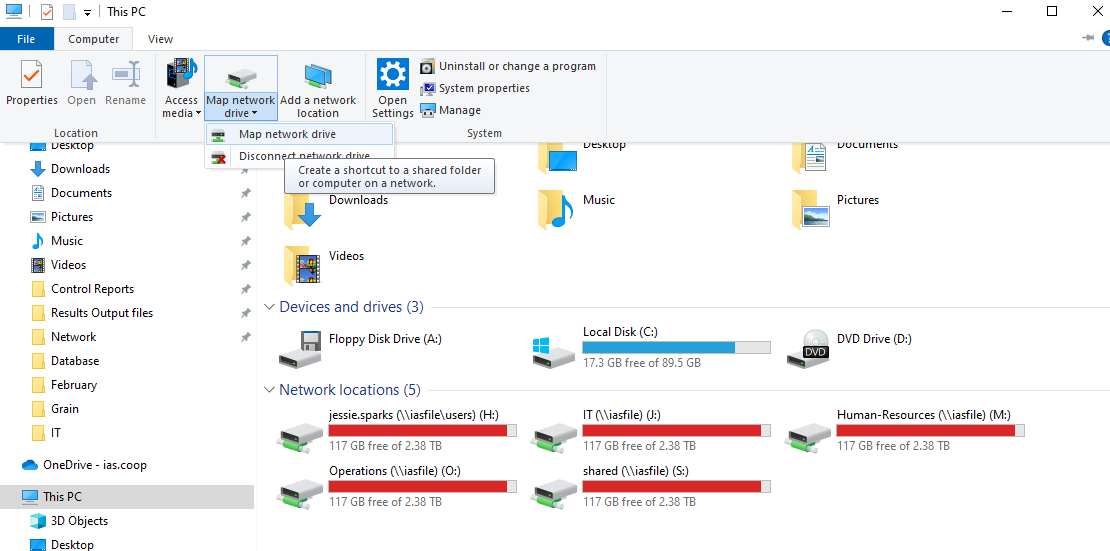
Q drive may need remapped. To do this open Windows Explorer and Select This PC then Map Network Drive.
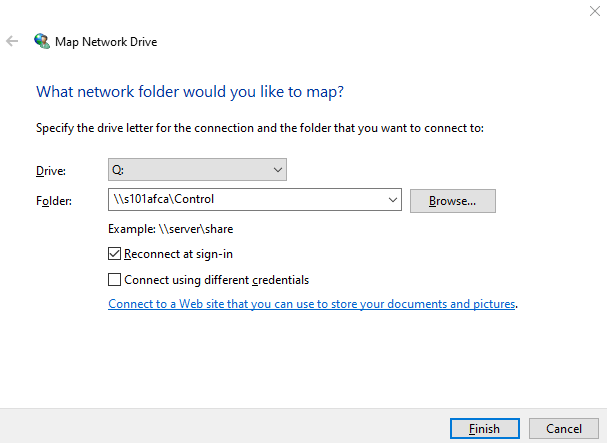
Folder is \\s101afca\Control. Always make sure to have the Reconnect and sign-in checked.
If they have capital letters in the password make sure they type them in lowercase.
Was this article helpful?
That’s Great!
Thank you for your feedback
Sorry! We couldn't be helpful
Thank you for your feedback
Feedback sent
We appreciate your effort and will try to fix the article