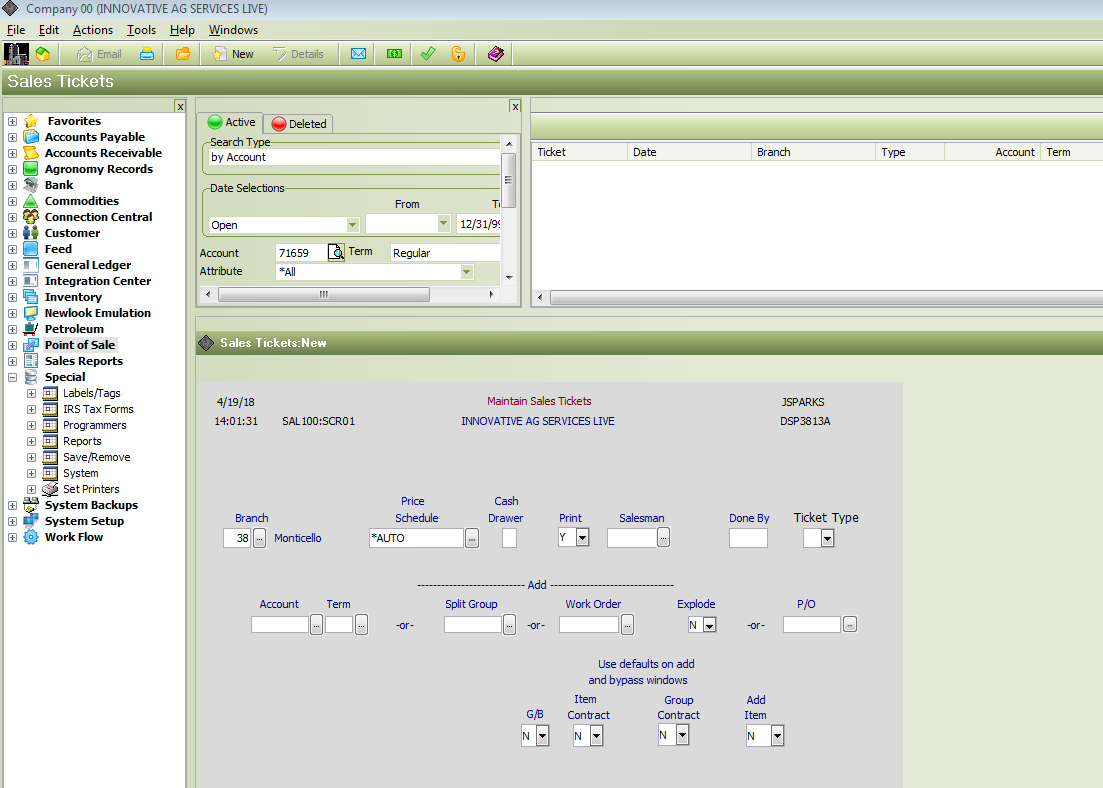
Sign onto MOCA with your current user name and password. Then click Special
Then click on System then change password.
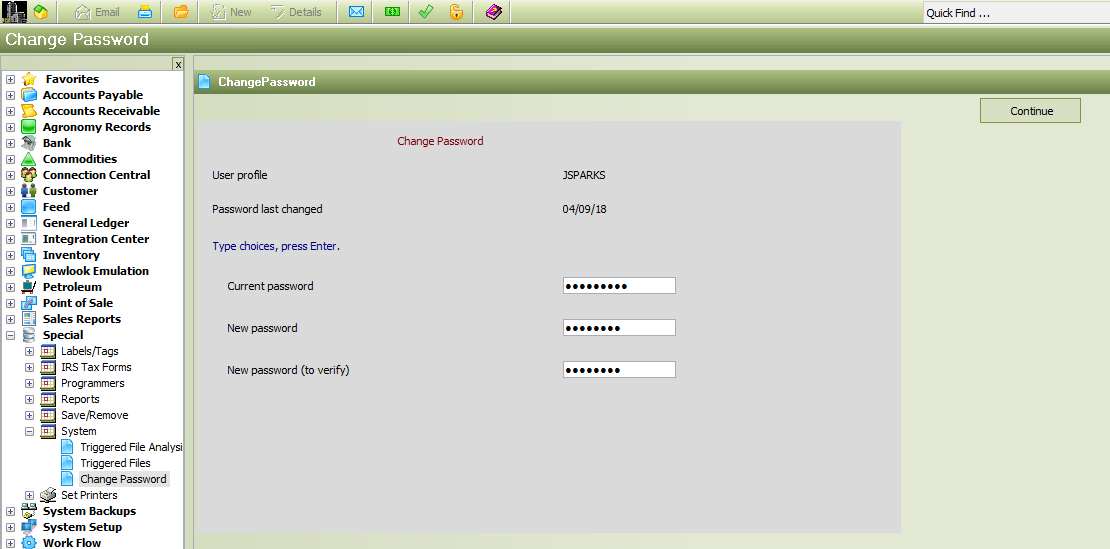
Enter your current password. Then your new password 2 times. When done click Continue
Rules for Passwords
Has a minimum of 8 characters maximum 10
All lowercase
Password should not start with a number
When you click Continue it will close down your MOCA and then bring you back to the sign on screen.
Enter your new password.
Was this article helpful?
That’s Great!
Thank you for your feedback
Sorry! We couldn't be helpful
Thank you for your feedback
Feedback sent
We appreciate your effort and will try to fix the article