Steps to correct Control printing problems. Normally occurs after printer runs out of paper or minor loss of connection.
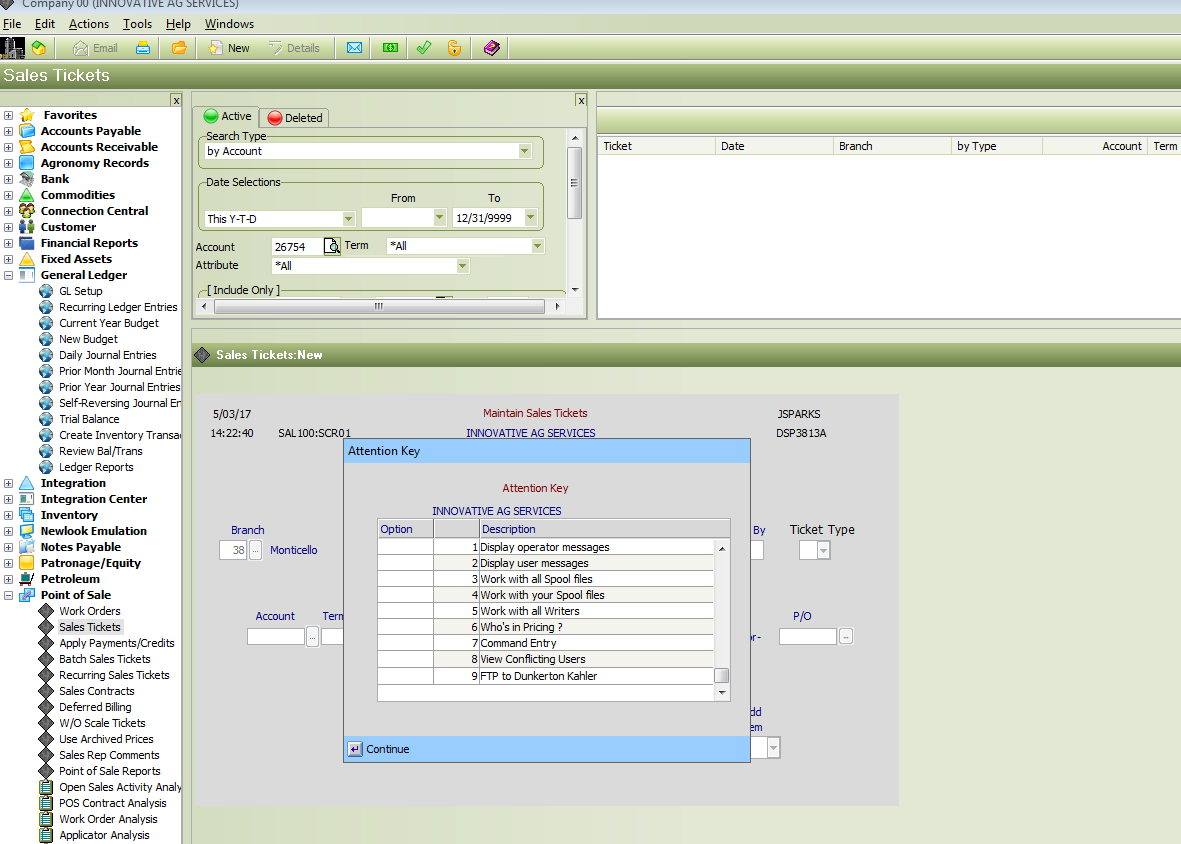
From a new Sales Ticket Screen. Press the ESC Key on keyboard. That will bring up the Attention Key Options. Select Work with all Writers
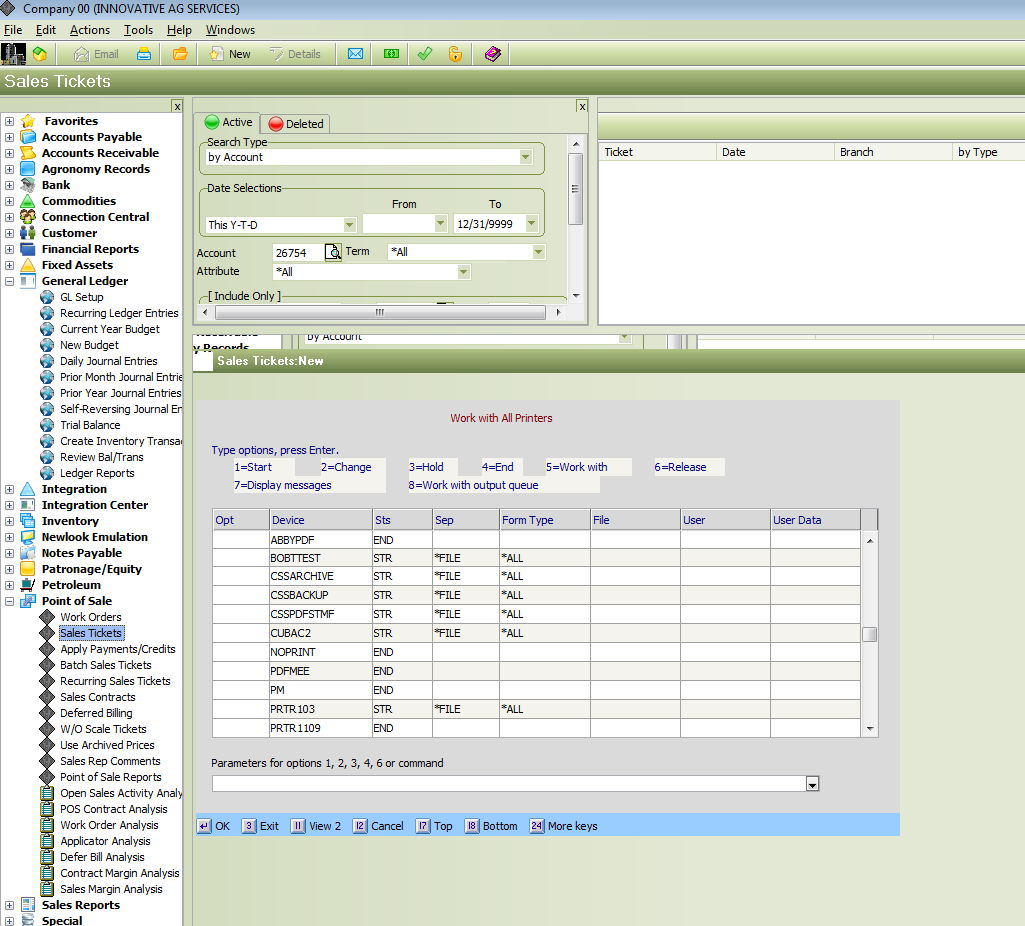
Page down till you reach the printer for your location.
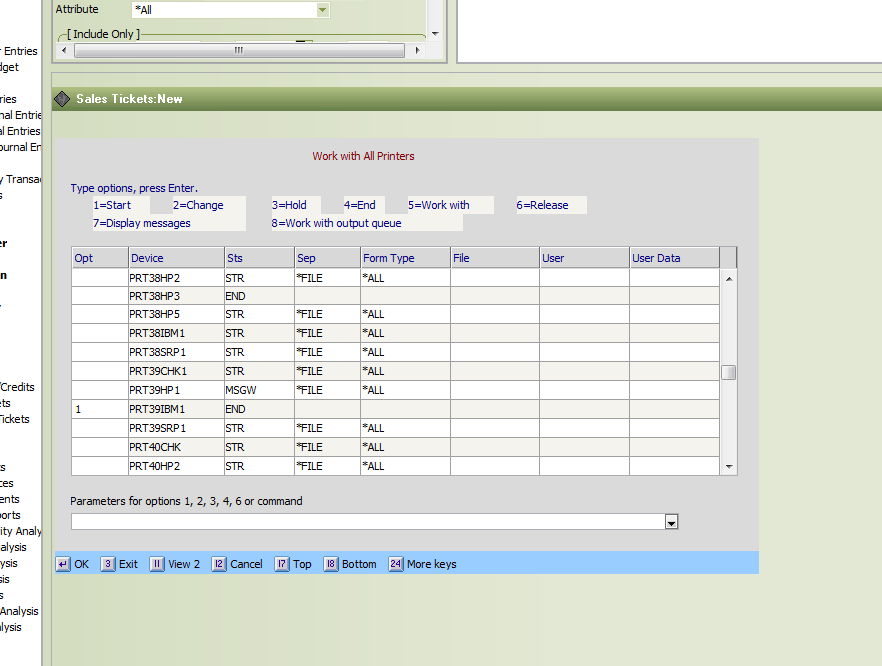
If the printer is in the ended status place a 1 in the Opt column the press Enter.
Was this article helpful?
That’s Great!
Thank you for your feedback
Sorry! We couldn't be helpful
Thank you for your feedback
Feedback sent
We appreciate your effort and will try to fix the article