1) To Add a new printer Open Up file explorer and select This PC from the left menu
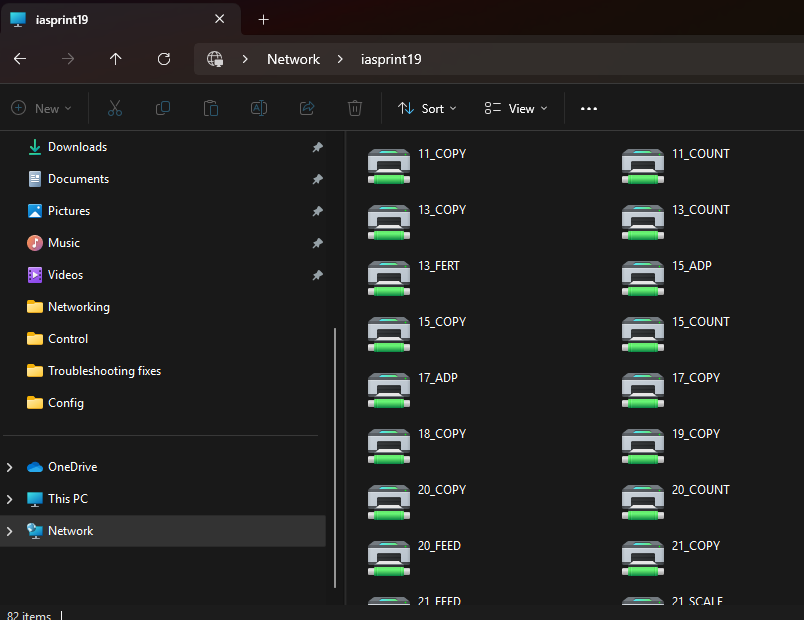
2) In the top bar type \\iasprint19
3) scroll through and double click on the Printer you would like to add
4) you may be prompted to allow the install is so select allow
If a Printer is not working you can remove it and then readd it
1) Search for Printer in the windows search menu, and select the option show
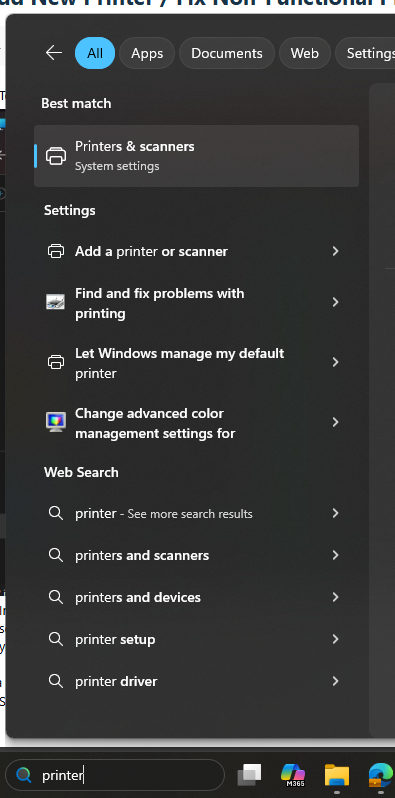
2) Find the printer you need to remove from the list. Click on it and select remove.
3) re add the printer as shown above
Was this article helpful?
That’s Great!
Thank you for your feedback
Sorry! We couldn't be helpful
Thank you for your feedback
Feedback sent
We appreciate your effort and will try to fix the article